LED Contrast Ratio Explained: The Simple Guide to Perfect Picture Quality
Published: 17 Oct 2025
LED Contrast Ratio Explained: The Simple Guide to Perfect Picture Quality
Think of a beautiful black-and-white photograph. The most striking ones aren’t just shades of gray; they have deep, true blacks and bright, clean whites that make the image pop. That’s the essence of contrast. While everyone talks about screen resolution for sharpness, the LED contrast ratio is the invisible artist that creates depth and emotion. It’s the crucial difference between a flat, washed-out picture and a vibrant, three-dimensional scene that pulls you right in.
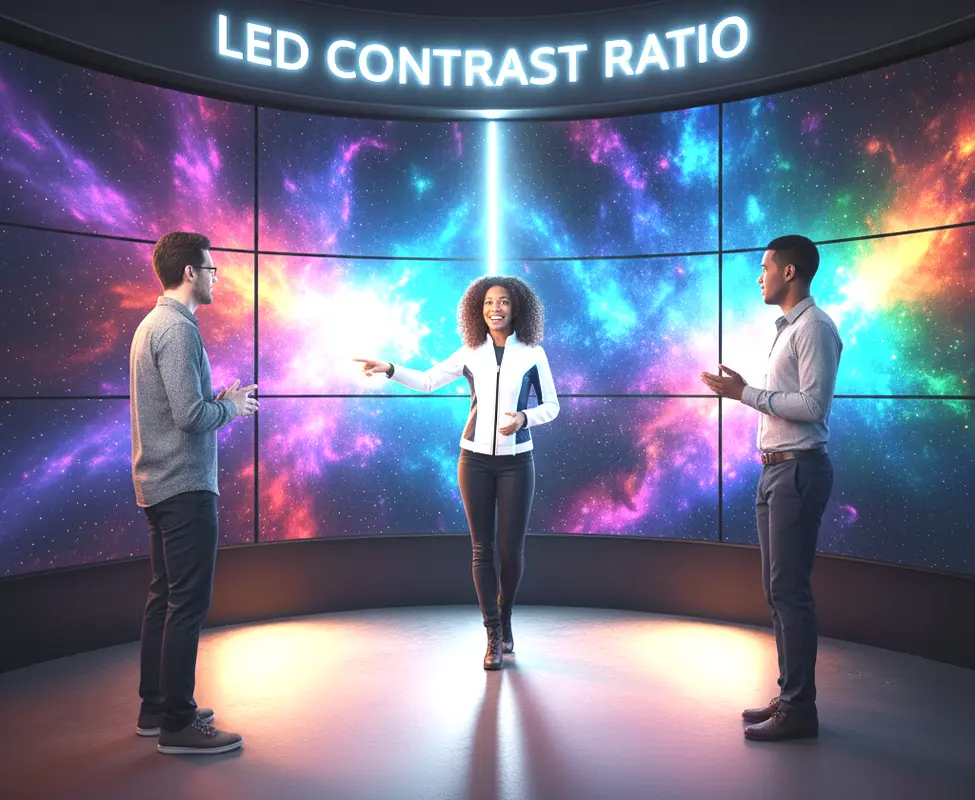
Contrast Ratio Fundamentals
LED Contrast Ratio measures the difference between the brightest white and the darkest black a screen can produce. A high number means a bigger difference, leading to more image depth and detail. This is what makes shadows look realistic and colors appear more vibrant. Without good contrast, even the sharpest 4K image will look dull.
Static vs. Dynamic Contrast
Understanding this difference is your first step to becoming a smart shopper. It helps you see past the marketing hype and focus on what truly matters for picture quality.
Static Contrast Ratio
- This is the most honest measurement of a screen’s performance.
- It measures the brightest white and darkest black displayed at the same time.
- Think of a starfield scene with bright stars against a black sky.
- A high static ratio means you’ll see clear stars and a deep, inky space.
- This is a fixed property of the LED panel technology itself.
- It’s often called the ‘native’ or ‘on-screen’ contrast ratio.
- Manufacturers don’t always advertise this number prominently.
- You’ll typically find it in the detailed technical specifications sheet.
- For a quality LED display, look for a static ratio of 3000:1 or higher.
- This number gives you a reliable baseline for daily performance.
- It remains consistent no matter what you’re watching.
- Professional reviewers always test and report this measurement.
- It’s the true test of a screen’s ability to create depth.
- Always prioritize this number over the dynamic contrast spec.
Dynamic Contrast Ratio
- This is a more fluid and often misleading specification.
- It measures the brightest and darkest points, but not simultaneously.
- The screen adjusts its backlight brightness based on the scene.
- In a dark scene, the backlight dims to make blacks seem deeper.
- In a bright scene, the backlight boosts to make whites pop.
- The numbers are often huge, like 5,000,000:1, which looks impressive.
- However, there’s no standard way to measure dynamic contrast.
- This means you can’t reliably compare numbers between different brands.
- An aggressive dynamic contrast can cause the “black crush” effect.
- This is when subtle shadow details are lost in dark scenes.
- It can also make the screen look like it’s “pumping” as brightness shifts.
- Some people enjoy the added drama it creates in movies.
- For accurate color work like photo editing, it’s best turned off.
- View this as a bonus feature, not a core quality indicator.
Pro Tip: When comparing screens, always search for the “native” or “static” contrast ratio. If you can’t find it, look for professional reviews on sites like RTINGS.com that test this properly.
How Contrast Ratio is Measured
The way contrast is measured can tell you a lot about what to expect from your screen. Knowing the process helps you understand why some numbers are more trustworthy than others.
Industry Standard Practices
Industry Standard Practices are following.
- The ANSI checkerboard test is the gold standard for static contrast.
- It uses a pattern of 16 alternating black and white rectangles.
- A precision tool called a spectrophotometer measures the light output.
- It takes readings from multiple white and black squares simultaneously.
- The average brightness of the white squares is calculated.
- The average brightness of the black squares is also calculated.
- The white average is then divided by the black average.
- This gives the final static contrast ratio (e.g., 4000:1).
- This method is effective because it’s a real-world scenario.
- It prevents the backlight from fully dimming during the test.
- This provides a true picture of the panel’s innate capability.
- All serious display manufacturers and reviewers use this method.
- It ensures consistency when comparing different models.
- This is the number that truly predicts your viewing experience.
Understanding Manufacturer Specs
- Brand spec sheets can be confusing by design.
- The largest, most prominent number is often the dynamic contrast.
- You need to dig into the “Detailed Specs” section for the static LED Contrast Ratio.
- Sometimes it’s listed as “Native Contrast” or “On- LED Contrast Ratio.”
- If a brand only advertises dynamic contrast, be skeptical.
- Two different brands with the same dynamic ratio can perform very differently.
- This is why hands-on reviews are more valuable than spec sheets.
- A model with a lower advertised dynamic ratio might have better real-world performance.
- Some brands use proprietary names for their contrast technology.
- These names often describe local dimming or image processing features.
- Remember that these features enhance the native contrast; they don’t replace it.
- A screen with poor native contrast won’t be saved by software tricks.
- Your goal is to find the native contrast number as a starting point.
- Everything else is an enhancement on that foundational performance.
Factors Influencing Contrast Performance
The technology inside your LED screen is the ultimate decider of its contrast capabilities. Some factors are within your control, but the core performance is built into the hardware.
LED Backlight Technology
- Edge-lit displays have LEDs only on the screen’s perimeter.
- This design makes achieving deep, uniform blacks very difficult.
- Light has to travel across the panel, leading to “backlight bleed.”
- Full-array backlights have LEDs spread evenly behind the entire screen.
- This provides better control and more consistent blacks.
- Full-array local dimming (FALD) is a major step up.
- FALD divides the backlight into separate “zones.”
- These zones can dim or brighten independently based on the image.
- More dimming zones generally mean better contrast and less “blooming.”
- Blooming is a halo of light around bright objects on a dark background.
- OLED is the contrast champion because it’s self-emissive.
- Each pixel creates its own light and can turn completely off.
- This allows for perfect blacks and an infinite contrast ratio.
- Mini-LED is a newer technology that uses thousands of tiny LEDs.
- It allows for many more dimming zones than traditional FALD.
- This brings LED/LCD contrast performance closer to OLED levels.
Screen Surface and Coatings
- Glossy screens have a glass-like, reflective surface.
- They typically provide richer colors and higher perceived contrast.
- However, they act like mirrors in brightly lit rooms.
- Any ambient light creates reflections that wash out the image.
- Matte (or anti-glare) screens have a textured coating.
- This coating diffuses room light, reducing reflections.
- This makes them a better choice for bright living rooms or offices.
- The downside is that the coating can slightly diffuse the pixel light itself.
- This can lead to a small loss in perceived sharpness and contrast.
- Some people also notice a “sparkly” or “grainy” effect on solid colors.
- The quality of the polarizing filters inside the panel is also crucial.
- Better filters reduce internal light leakage, improving black levels.
- There’s no “best” choice—it depends on your viewing environment.
- For a controlled, dark room, glossy often wins. For a bright room, matte is safer.
LED Contrast Ratio vs. Other Specs
Contrast ratio doesn’t exist in a vacuum. Its relationship with other specifications determines the final picture quality.
Contrast vs. Resolution
- Resolution is all about the number of pixels (e.g., 1080p, 4K, 8K).
- More pixels mean the potential for a sharper, more detailed image.
- However, sharpness and depth are two different things.
- Contrast ratio creates the illusion of depth and three-dimensionality.
- A 1080p display with great contrast can look more “real” than a flat 4K display.
- At a normal viewing distance, the improvement from great contrast is often more noticeable than a resolution bump from 4K to 8K.
- Resolution gives you the fine details in a person’s face.
- LED Contrast Ratio makes that face look rounded and lifelike, not like a flat picture.
- For the best experience, you want both high resolution and high contrast.
- But if you have to choose, a higher contrast ratio often provides more visual impact.
Contrast vs. Brightness
- These two terms are frequently confused but are fundamentally different.
- Brightness (or luminance) is measured in nits (candelas per square meter).
- It tells you how much total light the screen can emit.
- Contrast Ratio is a ratio of the brightest light to the darkest dark.
- A screen can be incredibly bright but have poor contrast.
- This happens if its “black” is just a very bright gray.
- Conversely, a screen with moderate brightness can have excellent contrast.
- This is true if it can produce a very deep, dark black level.
- For HDR content, you need both high peak brightness and high contrast.
- Peak brightness makes specular highlights (like sunlight) sparkle.
- High contrast ensures that those highlights stand out against dark backgrounds.
- Don’t assume a brighter screen is automatically a better screen.
- Always consider brightness and contrast together for the full picture.
Optimizing LED Contrast Ratio Settings
You might be sitting on untapped potential. A few simple adjustments can often dramatically improve your screen’s performance.
Calibration Techniques for LED Contrast Ratio
- Start by changing your picture mode from “Vivid” or “Dynamic.”
- These modes oversaturate colors and crush black details for punchiness.
- Switch to “Movie,” “Cinema,” or “ISF Day/Night” mode for a more accurate start.
- Find the “Brightness” control in your picture settings (not “Backlight”).
- This controls the black level. Lower it until blacks look deep, but you don’t lose detail in dark suits or shadows.
- Now, find the “Contrast” control, which adjusts the white level.
- Increase it until whites are bright and clean, but not bleached out.
- The “Sharpness” control often adds artificial edge enhancement.
- Try turning it down to zero or a very low value for a more natural image.
- For advanced users, a “Gamma” setting of 2.2 is standard for a dark room.
- For a brighter room, a gamma of 2.0 or 2.1 can help lift shadow details.
- Use a calibration disc or a free test pattern from YouTube to guide you.
- Pause a movie with a dark scene and adjust until you see hidden details.
- Give your eyes a few minutes to adjust after each major change.
- The goal is a natural, balanced image, not the most “poppy” one.
Environmental Considerations
- Your room lighting has a massive impact on perceived contrast.
- Ambient light falling directly on the screen washes out the blacks.
- The easiest way to improve contrast is to dim your lights.
- Avoid having windows or bright lamps reflected in the screen.
- Consider using “bias lighting” – a soft light placed behind the screen.
- This reduces eye strain and dramatically increases perceived contrast.
- Bias lighting tricks your eyes into seeing blacks as deeper.
- It should be a neutral white light, not a colored one.
- You can buy dedicated bias lighting kits or use a simple LED strip.
- The bias light should be about 10% of the screen’s peak brightness.
- Painting your walls a dark, matte color can also help.
- It prevents light from bouncing off the walls and onto the screen.
- Controlling your environment is a free and highly effective “upgrade.”
- Even the best screen will look mediocre in a brightly lit showroom.
Conclusion: Seeing the Big Picture
In the world of display technology, LED Contrast Ratio is the foundation upon which great image quality is built. It’s the silent partner to resolution, the element that adds soul to sharpness. By now, you understand that a high native contrast ratio is what separates a good screen from a great one. It’s what makes you feel immersed in a movie rather than just watching it. So, the next time you’re evaluating a display, look beyond the flashy specs. Seek out that all-important native contrast number, consider your viewing environment, and know that with a few simple tweaks, you can unlock the full, breathtaking potential of your screen.
FAQs on LED Contrast Ratio
A good static contrast ratio is 3000:1 or higher. For OLED TVs, the ratio is effectively infinite. Ignore the massive dynamic contrast numbers and focus on finding the “native” or “static” spec in the detailed product information.
For the native/static contrast ratio, yes, absolutely. A higher number means more image depth and better shadow detail. Be cautious with dynamic contrast ratios, as extremely high numbers can be misleading and don’t always translate to a better viewing experience.
This is usually caused by two things. First, ambient light in the room is reflecting off the screen, washing out the image. Second, the “Brightness” setting in your picture menu might be set too high, which actually controls the black level.
You cannot change the panel’s physical, native contrast ratio. However, you can dramatically improve the perceived contrast by calibrating your picture settings (especially the “Brightness” control) and by controlling the lighting in your room to eliminate reflections.
Contrast ratio is the hardware’s ability to show a range from dark to bright. HDR (High Dynamic Range) is a type of video signal that contains much more brightness information. To see the benefit of HDR, you need a screen with both a high contrast ratio and high peak brightness.
No, there’s a huge variation. Basic edge-lit LEDs have the lowest contrast. Full-array local dimming (FALD) LEDs are much better. The highest contrast belongs to OLED and MicroLED screens, where pixels can turn off completely for perfect blacks.
High contrast is crucial for gaming. It allows you to spot enemies hiding in dark shadows without the image looking washed out. This can give you a competitive advantage and makes exploring dark game worlds like dungeons or alien planets much more immersive
Yes, without question. Because each OLED pixel produces its own light and can turn off individually, it can achieve a perfect black and an infinite contrast ratio. Standard LED/LCD screens always have some backlight glow, making true blacks impossible.
Manufacturers list “Native” (the true, reliable measurement) and “Dynamic” (a marketing number based on backlight dimming). The dynamic ratio is always much larger but is not a consistent indicator of real-world performance. Always trust the native number.
No, the screen size itself does not determine the contrast ratio. The ratio is a function of the panel technology and backlight system. A well-made 55-inch screen can have a far superior contrast ratio to a poorly made 85-inch screen.





- Be Respectful
- Stay Relevant
- Stay Positive
- True Feedback
- Encourage Discussion
- Avoid Spamming
- No Fake News
- Don't Copy-Paste
- No Personal Attacks
- Be Respectful
- Stay Relevant
- Stay Positive
- True Feedback
- Encourage Discussion
- Avoid Spamming
- No Fake News
- Don't Copy-Paste
- No Personal Attacks
