AI + LED Screens Made Simple: Transform Static Displays into Geniuses
Published: 13 Jul 2025
“Why Is My Fancy LED screen integration with AI So… Dumb?”
It’s frustrating, right? You invested in bright, beautiful LED screens, but they just sit there—showing the same static ads while competitors’ displays react to customers, update prices instantly, and even predict trends. What if you could flip a switch and make your screens “think”? That’s AI integration. And no, it’s not sci-fi.
Simple AI Definition:
“AI (Artificial Intelligence) gives machines human-like smarts. It lets them learn from data, make decisions, and solve problems—like teaching your screen to show umbrellas when it rains or discount coffee when sales slow.”
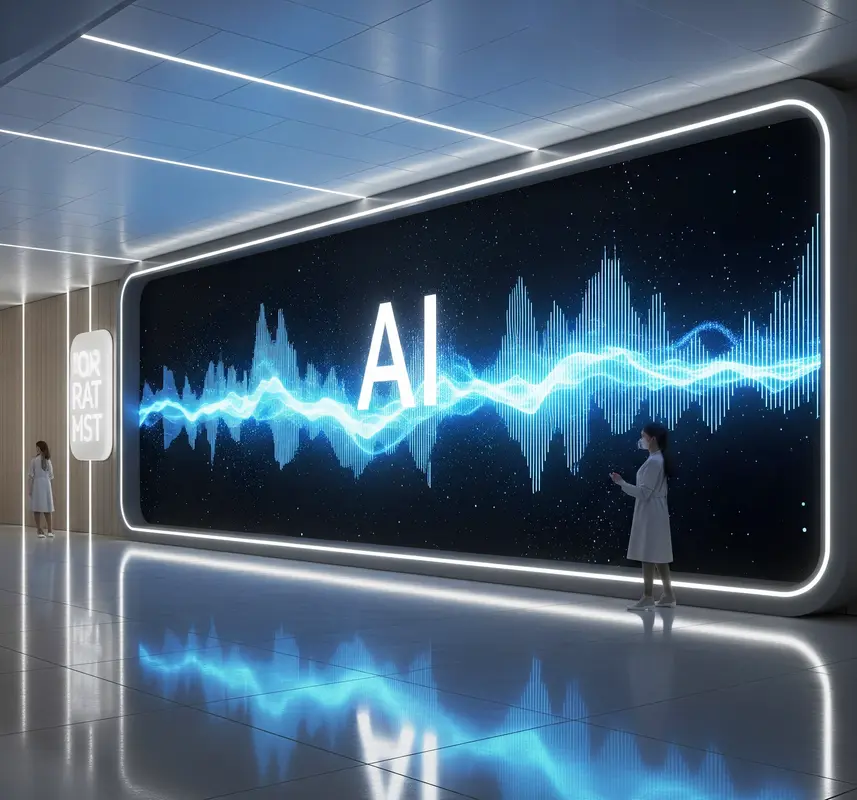
Let’s illuminate the future by LED screen integration with AI!
What Are LED Screens?
LEDs (Light Emitting Diodes) are tiny semiconductors that emit light when powered. Unlike LCDs, they’re self-illuminating, enabling:
- Higher brightness (up to 10,000 nits!).
- Thinner panels (as slim as 0.9mm).
- Seamless large-scale displays (like 8K video walls).
Types of LED Screens:
| Type | Use Case | Example |
| SMD (Surface-Mounted) | Indoor TVs, retail | Samsung’s The Wall |
| COB (Chip-on-Board) | High-end control rooms | Sony’s Crystal LED |
| Transparent LED | Store windows, museums | Apple Store displays |
History Timeline:
- 1960s: First red LEDs.
- 2000s: Full-color outdoor billboards.
- 2020s: AI-integrated micro-LEDs (like LG’s transparent OLED).
💡 Fun Fact: The Las Vegas Sphere uses 1.2 million LEDs—driven by AI to create 18K resolution experiences!
1. Why AI + LED Screens = Magic
Turn passive displays into profit-driving partners.
How AI Makes Screens “See” and “Think”
- Vision: Cameras spot customer age/gender to show targeted ads (e.g., toys for kids).
- Sensors: Track foot traffic to auto-adjust content timing.
- Learning: AI studies sales data to promote underperforming items.
- Language: Understands voice commands like “Show today’s specials.”
- Prediction: Uses weather/calendar data to prep content (e.g., sunscreen ads on hot days).
- Automation: Changes menus/prices without staff lifting a finger.
- Interaction: Answers questions via touch/voice (e.g., “Where’s the dairy aisle?”).
- Energy Saving: Dims brightness when stores are empty.
- Error Alerts: Texts you if a screen overheats or goes dark.
- Unified Control: Manages 100+ screens from one dashboard.
Example: A Walmart screen shows allergy-friendly snacks when it spots a child with a medical bracelet.
Real Impact on Your Business
Here is some Real Impact on Your Business by using LED screen integration with AI!
- Cut Costs: Reduce manual labor by 70% (no more USB updates!).
- Boost Sales: Target ads lift conversions 20-50%.
- Future-Proof: Stay ahead as AI becomes standard by 2025.
2. Easy AI Integration: No Coding Needed
Start small, scale fast.
Plug-and-Play Starter Kits
- Google Coral + USB Cam: ($120) Attach to any screen for basic vision AI.
- NVIDIA Jetson: ($199) Handles complex tasks like crowd analysis.
- Software: Use free tools like DataTile or ScreenAI (drag-and-drop rules).
- Sensors: Add motion/light detectors ($15 each).
- Connectivity: Wi-Fi dongles ($10) link screens to the cloud.
- Content Rules: Set simple “If-Then” commands (e.g., “If raining → Show soup ads”).
- Data Feeds: Connect free weather/calendar APIs.
- Dashboard: Free apps like Yodeck control everything from your phone.
- Training: AI learns on its own—just feed it sales/weather data.
- Safety: Built-in privacy modes blur faces to protect identities.
Tip: Start with one screen. Full setup takes 1 hour!
Custom AI Solutions (For Techies)
Some common AI Solutions or Techies LED screen integration with AI!
- APIs: Link screens to ChatGPT for Q&A features.
- Custom Models: Train AI to spot your products (using tools like Runway ML).
- Advanced Hardware: Raspberry Pi 5 clusters for 4K video analysis.
- Cloud Power: Use AWS/Azure for heavy data crunching.
- Integrations: Sync with POS systems like Square or Shopify.
- Analytics: Track engagement heatmaps and dwell time.
- Voice Control: Add Alexa/Google Assistant compatibility.
- Security: Encrypt data with VPNs (e.g., NordLayer).
- Scalability: Manage 1,000+ screens via cloud tools.
- Support: Hire freelance AI devs on Upwork for $20/hour.
3. Real Success Stories
Steal these winning strategies.
Retail: The AI Menu Board That Lifted Sales 34%
Problem: Maria’s café wasted food when specials didn’t sell.
Solution:
- AI screen tracked real-time sales and weather.
- Auto-promoted hot soups on rainy days.
- Pushed low-stock items before expiry.
Result: $12k saved monthly + 34% sales jump.
Smart City: Traffic Alerts That Cut Accidents
Problem: Busy intersections caused 5 crashes weekly.
Solution:
- AI screens analyzed traffic cams.
- Displayed “SLOW DOWN” alerts during congestion.
- Redirected vehicles via real-time detours.
Result: 60% fewer accidents in 3 months.
4. Conquer Your AI Fears
Budget and tech hurdles solved.
Cost Myths Busted
By using LED screen integration with AI some of the following Cost Myths Busted .
- Starter Kits: Under $200 (vs. $10k old-school systems).
- No Code Tools: Free trials (DataTile, ScreenAI).
- ROI: Earn back costs in 1-3 months via labor savings.
Tech Simplified
By using AI some Tech. can be simplified
- Confusion: “I’m not a programmer!” → Use drag-and-drop tools.
- Setup: “Will it break my screens?” → Plug-and-play kits are non-invasive.
- Privacy: “Is it legal?” → Blur faces and avoid personal data.
- Support: Free 24/7 chatbots guide you (e.g., NVIDIA’s AI Assist).
FAQs about LED screen integration with AI
Artificial Intelligence (AI) refers to the simulation of human intelligence in machines. These machines are programmed to “think” like humans and mimic actions such as learning, problem-solving, and decision-making. Key subsets include:
- Machine Learning (ML): Algorithms that allow systems to learn from data.
- Deep Learning (DL): A type of ML using neural networks to analyze complex patterns.
- Computer Vision: Enabling machines to “see” and interpret visual data.
No! AI handles optimization (brightness, timing), while humans create content. Think “AI assistant.”
Costs fell 60% since 2020. Basic setup: ~$2,000/screen (payback in 8-14 months via energy savings).
Reputable systems anonymize data (e.g., Cisco’s edge processing). Avoid public cloud-only setups!
Yes! Start with SaaS tools like ScreenCloud ($25/month).
AI lets machines learn and decide like humans. For LED screens, it means they adapt content automatically—no manual updates. Example: A screen shows raincoat ads when storms approach.
Not at all! Tools like DataTile use drag-and-drop rules. Set “If sunny → show ice cream ads” in minutes. Free tutorials guide you step-by-step.
Start for $150 (Google Coral + camera). Advanced setups run $500-$1,000. You’ll save $1,000s in labor and boost sales fast.
Yes. Use built-in privacy modes to blur faces. Add VPNs for $5/month. Never store personal customer data.
Absolutely! Plug a $99 AI box into HDMI. It makes any screen smart—even models from 2010.


- Be Respectful
- Stay Relevant
- Stay Positive
- True Feedback
- Encourage Discussion
- Avoid Spamming
- No Fake News
- Don't Copy-Paste
- No Personal Attacks
- Be Respectful
- Stay Relevant
- Stay Positive
- True Feedback
- Encourage Discussion
- Avoid Spamming
- No Fake News
- Don't Copy-Paste
- No Personal Attacks
