LED Picture Quality: The 7 Factors That Create a Stunning Image
Published: 17 Oct 2025
LED Picture Quality: The 7 Factors That Create a Stunning Image
Think of a master chef creating a signature dish. It’s not just one ingredient that makes it extraordinary, but the perfect balance of many. LED picture quality works the same way. While people often focus solely on resolution, like 4K or 8K, true excellence comes from the harmony of several key ingredients working together. It’s this complex interplay of contrast, color, and clarity that transforms a simple video signal into a vivid, lifelike window to another world.
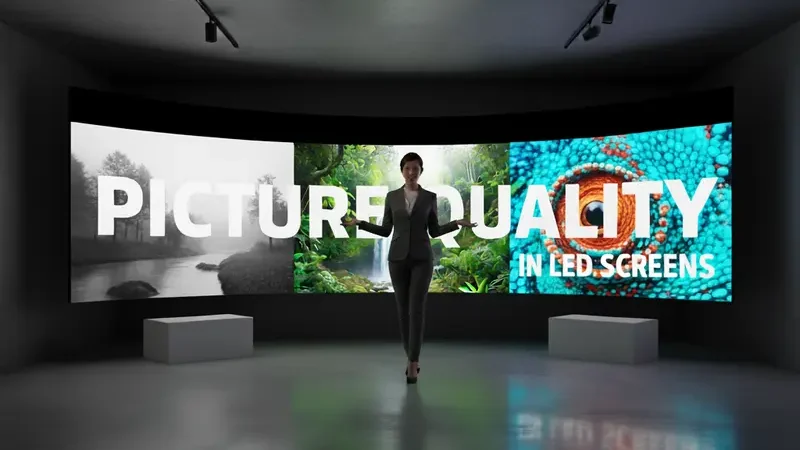
Understanding Screen Resolution
Screen resolution determines how many pixels are packed into the display, creating the foundation for sharpness. More pixels mean finer details and a clearer image, especially on larger screens. However, resolution is just the starting point for overall LED Picture Quality.
The Role of Contrast Ratio
Contrast ratio defines the difference between the brightest whites and the darkest blacks a screen can produce. This dynamic range is what gives images their depth and dimensionality, making them pop off the screen. A poor contrast ratio makes everything look flat and washed out, no matter how high the resolution.
Static vs Dynamic Contrast
- Static contrast measures brightness and darkness simultaneously on screen
- Dynamic contrast adjusts backlighting based on scene content
- Static contrast provides consistent, reliable performance
- Dynamic contrast creates dramatic but sometimes inaccurate effects
- Look for high static contrast numbers for best results
- Dynamic contrast ratios are often inflated for marketing
- Native contrast ratio is another term for static contrast
- Professional calibrators always focus on static contrast
- This measurement remains constant across all content
- Dynamic contrast can cause brightness pumping in movies
- Some viewers prefer the added punch of dynamic mode
- For accurate colors, static contrast is essential
- Gaming often benefits from consistent static contrast
- Movie watching typically looks best with proper static calibration
- Always check professional reviews for true contrast measurements
Color Accuracy and Gamut
Color accuracy ensures the colors you see match the director’s original intent, while color gamut defines the range of colors a display can reproduce. Together, they create realistic, natural-looking images that feel true to life, from subtle skin tones to vibrant landscapes.
Wide Color Gamut Standards
- Rec. 709 is the standard for HD content and SDR displays
- DCI-P3 is the wider gamut used for digital cinema
- Rec. 2020 is the ultimate standard for future content
- Most premium LED displays now cover 90%+ of DCI-P3
- Wider gamut means more vibrant, saturated colors
- Proper color management is crucial for accuracy
- Quantum Dot technology enables wider color gamuts
- OLED displays typically excel in color volume
- HDR content requires wide color gamut to shine
- Color gamut is measured as a percentage of standards
- Look for displays with 95%+ DCI-P3 coverage
- Professional monitors often exceed 99% coverage
- Consumer displays are rapidly improving gamut range
- Native gamut matters more than software-enhanced
- Always verify gamut claims with independent testing
HDR Performance Factors
High Dynamic Range expands both contrast and color capabilities beyond traditional standards. It allows for brighter highlights and deeper shadows while maintaining detail, creating images that more closely match what the human eye sees in real life.
HDR Format Compatibility
- HDR10 is the basic, mandatory format for all HDR displays
- Dolby Vision uses dynamic metadata for scene-by-scene optimization
- HDR10+ is Samsung’s alternative to Dolby Vision
- HLG (Hybrid Log Gamma) is designed for broadcast television
- Advanced HDR formats require specific hardware support
- Some displays support multiple HDR formats
- Dolby Vision typically offers the best performance
- Format compatibility future-proofs your investment
- Content availability varies between formats
- Gaming HDR standards are still evolving
- Look for displays that support all major formats
- Premium displays often include Dolby Vision support
- Mid-range displays typically stick with HDR10
- Format wars continue to create consumer confusion
- Choose displays LED Picture Quality formats you’ll actually use
Motion Handling Capabilities
How a LED Picture Quality handles movement determines whether fast-action scenes appear smooth or blurry. This includes everything from sports broadcasting to video game gameplay, where crisp, clear motion is essential for an immersive viewing experience.
Motion Rate Technology
- Native refresh rate is the panel’s physical capability
- Motion rate numbers are often marketing-enhanced figures
- Look for true 120Hz panels for best performance
- Black frame insertion reduces motion blur
- Backlight scanning creates smoother motion
- Motion interpolation creates artificial frames
- Soap opera effect comes from over-aggressive interpolation
- Gaming requires high native refresh rates
- Movies benefit from proper 24p playback
- Sports viewing needs excellent motion handling
- Different content types require different settings
- Professional reviews test real motion performance
- Don’t trust inflated motion rate numbers
- True 120Hz outperforms 60Hz with motion enhancement
- Always test motion handling with your favorite content
Pro Tip: Watch a fast-paced sports scene or video game to test motion handling. Look for blurring around players or objects – this reveals the display’s true motion capabilities beyond the advertised “motion rate” numbers.
Viewing Angle Performance
Viewing angle determines how much the image quality changes when watching from off-center positions. A display with poor viewing angles shows significant color shift and contrast loss when viewed from the side, which is crucial for group viewing scenarios.
IPS vs VA Panel Technology
- IPS panels offer wider viewing angles but lower contrast
- VA panels provide better contrast but narrower viewing angles
- OLED / LED Picture Quality displays maintain perfect viewing angles
- Panel choice depends on your primary viewing setup
- Family rooms benefit from wider viewing angles
- Dedicated home theaters often use VA panels
- IPS color shift is less noticeable than VA contrast loss
- Newer VA panels have improved viewing angles
- Professional editing requires accurate viewing angles
- Gaming setups need consistent image from any position
- Measure your typical viewing positions before buying
- Stores demonstrate panels in ideal conditions
- Always check viewing angles in your home environment
- Panel technology continues to evolve yearly
- There’s no perfect solution – only what works for you
Smart TV Processing
The processor is the brain of your LED display, responsible for upscaling lower-resolution content and optimizing image quality. A powerful processor can make standard HD content look remarkably close to 4K, while a weak one can make even native 4K content look mediocre.
Upscaling Engine Quality
- Native 4K content is relatively rare still
- Upscaling improves HD and lower resolution content
- Processor quality determines upscaling effectiveness
- Different brands use various upscaling technologies
- Sony’s Reality Creation is highly regarded
- Samsung’s Neo Quantum Processor excels
- LG’s Alpha processors perform well
- Cheap displays often have poor upscaling
- Good upscaling reduces artifacts and noise
- Sharpness settings affect upscaling quality
- Gaming requires minimal processing latency
- Movie purists prefer natural upscaling
- Test upscaling with your most-watched content
- Streaming services benefit from good upscaling
- The best processors are invisible in their work
Screen Uniformity Issues
Screen uniformity refers to how consistent the image appears across the entire display surface. Problems like backlight clouding, dark corners, or color tints can distract from the viewing experience, especially during uniform scenes like sky or snow shots.
Backlight Bleeding Solutions
- Edge-lit displays are prone to backlight bleeding
- Full-array local dimming reduces bleeding significantly
- OLED displays have perfect uniformity inherently
- Manufacturing quality control affects uniformity
- Some bleeding is normal in LED displays
- Severe bleeding qualifies for warranty replacement
- Panel lottery affects uniformity in mass production
- Professional grade displays have better uniformity
- Price often correlates with uniformity quality
- Dark room viewing exaggerates uniformity issues
- Bright room viewing masks some problems
- Always check uniformity during return period
- Give displays 100+ hours for settling in
- Manufacturing dates can indicate batch quality
- Premium brands typically have better QC
Calibration and Settings
Proper calibration optimizes your display’s performance to match industry standards and your viewing environment. Even the best display can look mediocre with factory settings, while proper calibration unlocks its full potential for stunning picture quality.
Professional vs DIY Calibration
- Professional calibration uses expensive equipment
- DIY calibration can achieve 90% of pro results
- Basic settings adjustments make huge improvements
- THX calibration apps provide good guidance
- Professional calibration costs $250-$500
- ISF certified technicians provide best results
- Basic brightness/contrast adjustments are essential
- Color temperature settings need careful adjustment
- Gamma settings affect shadow detail significantly
- Different inputs may need separate calibration
- HDR and SDR require different settings
- Gaming mode often bypasses calibration
- Streaming devices may need input-specific settings
- Regular recalibration maintains performance
- Environment changes require settings adjustments
Pro Tip: Use the “Movie” or “Cinema” picture mode as your starting point for calibration. These modes are typically closest to the industry standards that content creators use, providing the most accurate foundation for further adjustments.
Conclusion: The Complete Picture
Achieving outstanding LED picture quality isn’t about chasing a single specification, but understanding how all these elements work together. The perfect display for you balances these factors according to your viewing habits, content preferences, and environment. By focusing on the harmony between resolution, contrast, color, and processing, you can select a display that will deliver breathtaking images for years to come. Remember that specifications tell only part of the story – your eyes are the ultimate judge of what makes a picture truly great.
10 FAQs on LED Picture Quality
Contrast ratio and color accuracy have the biggest impact on perceived picture quality. A display with excellent contrast and accurate colors will look better than one with high resolution but poor contrast. The processor quality for upscaling content is also crucial for real-world viewing.
Yes, 4K provides noticeably sharper images, especially on screens 55 inches and larger. The increased pixel density makes images appear more detailed and lifelike. However, good 4K content is essential to see the full benefit.
HDR is crucial for modern picture quality, often making a bigger difference than 4K resolution. It expands both the contrast range and color gamut for more realistic images. The quality of HDR implementation varies significantly between displays.
Yes, proper calibration can dramatically improve your current display’s performance. Adjusting basic settings like brightness, contrast, and color temperature makes a significant difference. Using high-quality source content and controlling room lighting also helps.
Generally, yes – price correlates with better components and processing. However, there are diminishing returns beyond a certain price point. Mid-range displays often offer the best value for picture quality.
Quality LED displays maintain excellent picture quality for 5-7 years with normal use. Gradual brightness reduction occurs over time but is usually unnoticeable. Proper ventilation and reasonable brightness settings extend lifespan.
OLED typically offers superior picture quality due to perfect blacks and infinite contrast. However, high-end LED displays with full-array local dimming can approach OLED performance. OLED excels in dark rooms, while bright LEDs work better in well-lit environments.
Look for high native refresh rates (120Hz+), low input lag, and good motion handling. Gaming-focused features like VRR (Variable Refresh Rate) also enhance the experience. Both OLED and high-end LED displays can excel for gaming.
Screen size itself doesn’t determine quality, but viewing distance does. Larger screens need higher resolutions to maintain sharpness. Always match screen size to your typical viewing distance for the best experience.
Room lighting significantly impacts perceived picture quality. Ambient light washes out contrast and colors in most displays. Controlled lighting or bias lighting behind the screen dramatically improves the viewing experience.





- Be Respectful
- Stay Relevant
- Stay Positive
- True Feedback
- Encourage Discussion
- Avoid Spamming
- No Fake News
- Don't Copy-Paste
- No Personal Attacks
- Be Respectful
- Stay Relevant
- Stay Positive
- True Feedback
- Encourage Discussion
- Avoid Spamming
- No Fake News
- Don't Copy-Paste
- No Personal Attacks
